
Initial Investment Costs of NAS vs Cloud Backup
Hardware Costs for NAS Setup
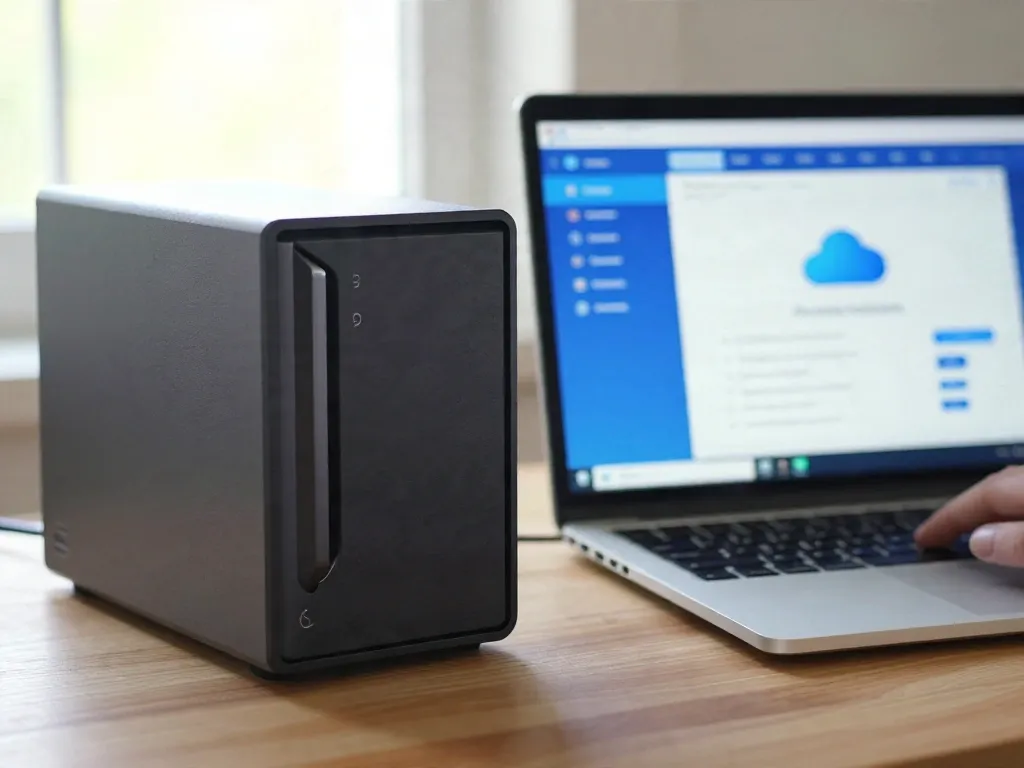
Network Attached Storage (NAS) devices have become increasingly popular as a means to store and backup data locally. The primary initial investment for a NAS setup includes the cost of the hardware, which typically comprises the NAS unit itself and hard drives. For instance, a mid-range NAS device such as the Synology DiskStation DS220+ costs around $300. However, this does not include the hard drives, which can be significant. A pair of 4TB drives, such as the Western Digital Red series, would add approximately $200-$250 to the setup cost. Therefore, the total initial investment for a basic NAS system could range from $500 to $600.
Subscription Fees for Cloud Backup Services
In contrast, cloud backup solutions operate on a subscription model, where users pay monthly or annually for storage space. Popular services such as Backblaze and Carbonite offer plans starting around $5 to $10 per month for unlimited backup. Over the course of a year, this can amount to approximately $60 to $120. For larger businesses or users requiring more advanced features, costs can escalate quickly, with services like AWS S3 charging based on storage used, data transfer, and retrieval fees, potentially leading to annual costs in the thousands depending on the scale of usage.
Long-term Cost Projections for Each Solution
When projecting long-term costs, it is essential to consider the lifespan of the NAS hardware. Typically, a well-maintained NAS can last around 5-7 years. Over that period, the initial investment of $600 would average to about $85-$120 annually, not accounting for potential replacement drives or upgrades. In comparison, a cloud backup subscription could accumulate substantially higher costs over the same period. For example, a $10 monthly plan would total $720 over five years, indicating that while NAS may have higher upfront costs, cloud services can become more expensive in the long haul.
Operational Costs and Maintenance Considerations
Electricity and Cooling Expenses for NAS Devices
Operational costs for NAS include electricity consumption and cooling requirements. A typical NAS device consumes about 30-50 watts of power when active. Assuming an average electricity rate of $0.13 per kWh, running a NAS continuously could cost roughly $40 to $70 annually. Additionally, if the NAS is located in an area that requires cooling, this can further add to the electricity bill, potentially increasing overall annual operational costs by another $20 to $50 depending on climate and usage patterns.
Ongoing Subscription Costs for Cloud Services
Ongoing costs for cloud backup services are straightforward as they are dictated by the subscription plan chosen. Most providers offer tiered pricing based on storage needs. For example, a service like Acronis offers plans starting at $49.99 per year for 250GB of storage, which may suffice for individual users but would require a higher tier for businesses with more data. As data needs grow, so do the costs, with some enterprise solutions costing several hundred dollars a month.
Maintenance and Upgrade Costs for NAS Systems
Maintenance of NAS systems can involve both software and hardware upkeep. Software upgrades, while typically free, may require reconfiguration or reinstallation, which could incur labor costs if outsourced. On the hardware side, drives may need to be replaced every 3-5 years, costing $200-$300 per replacement depending on capacity. Therefore, it’s prudent to budget for at least one or two drive replacements over the lifespan of the NAS, leading to an additional $200-$600 in maintenance costs over five years.
Data Recovery Costs: NAS vs Cloud Solutions
Cost Implications of Data Recovery from NAS
Data recovery from a NAS can be complex and often requires professional services, especially in cases of hardware failure or data corruption. Such services can cost anywhere from $300 to $1500, based on the severity of the data loss and the complexity of the recovery process. In simple scenarios, like accidental deletion where recovery software can be used, costs might only include the software purchase, usually around $100. However, the risk of significant data loss can make relying solely on NAS systems a costly gamble.
Charges Associated with Cloud Data Recovery
Cloud backup solutions generally offer built-in recovery options. However, retrieving large volumes of data can incur additional charges. For example, AWS S3 charges for data retrieval, with costs ranging from $0.01 to $0.12 per GB depending on the amount of data being accessed. This can add up quickly; restoring 1TB of data could potentially cost $10 to $120. Furthermore, if users require expedited recovery, additional fees may apply, making it crucial to understand the fine print of cloud service agreements.
Time and Resource Investment in Recovery Processes
Time is another factor to consider in data recovery. Restoring data from a NAS can take significant time depending on the amount of data and the method of recovery used. If professional help is needed, this not only incurs costs but can also result in prolonged downtime. Conversely, cloud solutions often have streamlined recovery processes; however, the speed of recovery may be limited by internet bandwidth. A typical 1TB data recovery from cloud storage may take many hours or days depending on the user’s internet speed, highlighting a trade-off between speed and cost.
Scalability and Future Costs of Storage Solutions
Scalability Options for NAS Systems
NAS systems offer scalability primarily through the addition of more drives. Many NAS units support various RAID configurations, allowing users to expand their storage capacity by adding drives incrementally. For example, a Synology DS220+ can accommodate two drives, but the use of external enclosures can further increase capacity as needed. However, additional drives incur upfront costs, and users must consider the potential for downtime during installation and configuration.
Cost of Scaling Cloud Backup Solutions
Scaling cloud backup solutions typically involves upgrading to a higher-tier plan, which may offer additional storage and features. For example, increasing from a basic plan to a business plan might raise costs from $10 per month to $50 per month. Additionally, cloud providers often charge for data transfer, which can complicate scaling costs if large volumes of data need to be migrated. Understanding these costs is essential for businesses anticipating growth.
Long-term Financial Implications of Growth for Both Options
Over the long term, the financial implications of growth can vary significantly between NAS and cloud solutions. While NAS may seem more cost-effective for smaller setups, the costs associated with expansion and maintenance can increase as data needs grow. Conversely, cloud backup solutions offer flexibility but can lead to escalating monthly fees as more storage is required. Businesses must thoroughly assess their growth projections and storage needs to make an informed decision on which solution provides the best long-term value.
Cost-Benefit Analysis of Security and Reliability
Assessment of Security Features in NAS Solutions
Security features in NAS devices typically include user authentication, data encryption, and secure remote access capabilities. However, implementing these features may require additional setup and potentially third-party software solutions, which can incur extra costs. For example, using encryption software might cost an additional $50-$100, depending on the solution. Additionally, users are responsible for ensuring their NAS devices are secure from external threats, which may necessitate ongoing security assessments.
Cost Implications of Cloud Backup Security Measures
Cloud backup services often include robust security measures as part of their standard offerings, such as encryption during transit and at rest, as well as regular security audits. However, services that offer advanced security options, like enhanced encryption or compliance with specific regulations (such as HIPAA), may charge extra fees. For instance, a plan with additional security features could increase the monthly fee by $5-$20, depending on the provider and the level of security required.
Reliability and Downtime Costs for Both Approaches
Reliability is a critical consideration for both NAS and cloud storage. Downtime in a NAS system can lead to significant costs, particularly for businesses that rely on continuous access to data. Implementing redundancy measures within a NAS setup can mitigate this risk but may increase costs. Cloud services, while generally reliable, can experience outages, and users must be prepared for potential downtime. The cost of downtime can be difficult to quantify but may involve lost productivity, customer dissatisfaction, and potentially lost revenue.
Ultimately, the choice between NAS and cloud backup solutions requires careful consideration of initial and ongoing costs, operational expenses, data recovery implications, scalability, and security features. Each option has its advantages and disadvantages, and the decision should align with the specific needs and budget of the user or organization.


Comments
No comments yet.
Leave a comment